

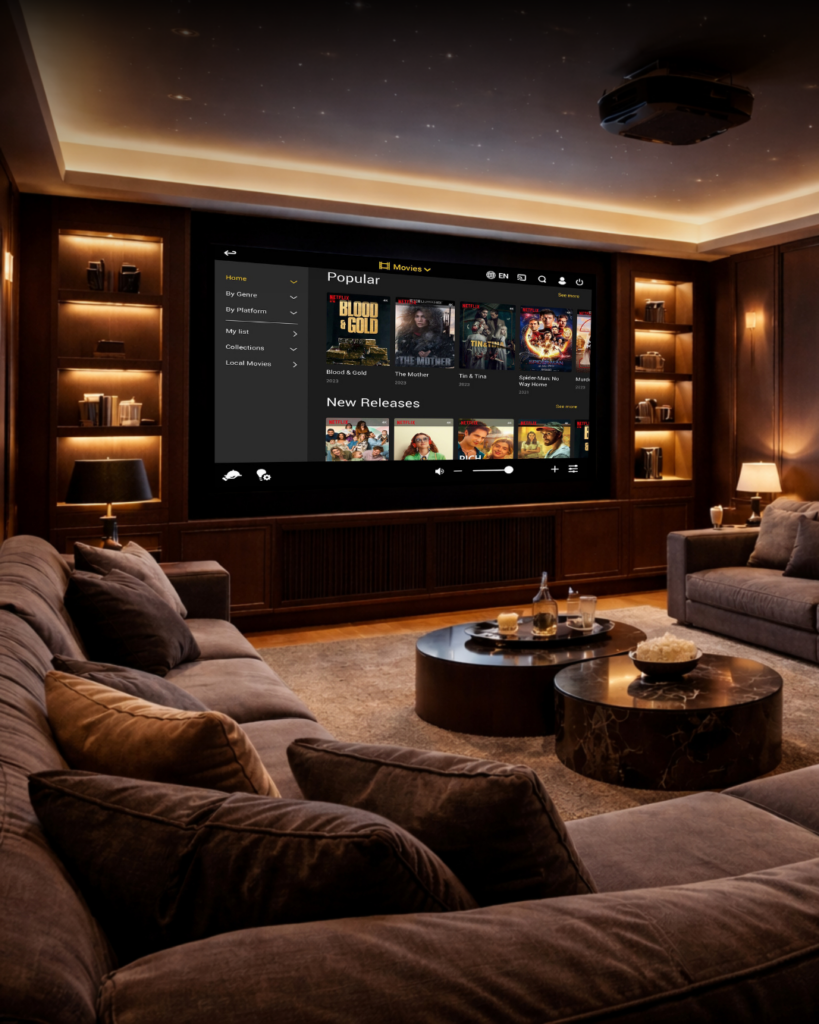

Every feature, explained, from what a guest sees on the screen to what a crew member or integrator manages behind it.
OMNIYON, IN FULL
Entertainment, discovered simply

One Home Screen for everything
All media and controls come together on a single home screen, with icons, sources and background fully configurable to match the yacht or property.

Live TV, without the channel-hopping
Every channel in one seamless view. For yachts that want more, LiveQ lets guests watch up to four channels at once and build their own custom viewing profiles.

Electronic Program Guide, anywhere
Full TV channel guides are available for providers including Sky, DirecTV, Dish Network, Ziggo, beIN, OSN and Etisalat, with others available on request.

Movies and shows, all in one overview
Streaming and local media sit together in a single browsable library, with cover art and full details for every title.

Find anything,
instantly
Media Filters and Global Search work across every connected library, local and streaming, so a guest never has to know where a title lives to find it.

MediaMatch, search once, watch anywhere
MediaMatch brings every connected streaming source into one search, including dedicated actor and director search, so guests don’t have to open five apps to find one film.

A local library, just as easy to browse
For yachts running a Kaleidescape system, OMNIYON integrates it directly, so a local movie library sits alongside streaming content in the same interface.

YouTube, on the big screen
Favourite YouTube channels and videos can be added directly into the OMNIYON interface.

Music, however guests like to listen
Spotify streams in master quality as standard; Tidal is available as an add-on for yachts that want it.
Comfort that responds

Every zone,
its own experience
A main AV zone and multiple subzones can each run independently, or subzones can follow the main zone. Party Mode lets several zones share the same music at once, built for entertaining, not just for one room at a time.

Lighting, blinds and climate, from the same screen
Lights, curtains and climate can be controlled across the main zone and every subzone, with native integration for systems including Lutron, KNX and Crestron.

Routines that just happen
Personalised automations handle the small things, curtains opening at sunrise, lighting adjusting through the evening, without anyone needing to set them each time.

A screen that’s never just idle
When not in use, the iPad can display a chosen movie or piece of artwork, or the time instead of sitting blank.
Connected to the rest of the yacht

Service calls, without leaving the app
OMNIYON integrates directly with GEST, UHF radio, and Cisco phone systems, so a guest or crew member can send a call or message to staff from whichever device they’re already using.

A personal touch, digitally delivered
Candy Shop lets guests order custom items with a drag-and-drop interface and a personal note, sent straight through to the crew who’ll prepare it.
Voice and remote controls

Hands-free, when it’s wanted
With Amazon Alexa integration, lights, blinds, climate and scenes can be adjusted by voice, alongside the standard touch interface.

One remote, everything on it
The AVA Cinema Remote brings entertainment, lighting, shades and climate control together in a single dedicated remote for guests who prefer a physical control over a screen.

On iPad, or on iPhone
OMNIYON runs on iPad as standard, with an iPhone app available for guests who’d rather carry their control with them.

Works with the systems already on board
OMNIYON is built to integrate with major third-party control platforms including Crestron, Savant and AMX, so it fits into an existing AV setup rather than replacing it.
OMNIYON Manager, what crew and integrators see
OMNIYON Manager is the web-based dashboard behind every OMNIYON installation, covering user profiles, radio control, content management, custom controls, Party Mode configuration, remote pairing, and live device status, all from one place.
One dashboard, full control
OMNIYON Manager is the web-based dashboard behind every OMNIYON installation, covering user profiles, radio control, content management, custom controls, Karaoke, Party Mode configuration, remote pairing, and live device status, all from one place.
Built for real onboard operations
Beyond the basics, OMNIYON Manager handles NMEA data, PA/GA system management, a quality-control station for testing, and RF distribution settings, the operational detail integrators and senior crew actually need day to day.
Explore new depths of luxury.
Every feature above works together as one system, built to give guests a seamless experience, and crew and integrators the control to support it.
Interested in more?
CrewBoard

Simple technology
for smooth operations
GEST

Seamless service call
button system