Author: Lucie

  • What Is Network Access Management on a Superyacht?

    What Is Network Access Management on a Superyacht?

    A superyacht’s network carries far more traffic than most people realise. Guests stream films to their cabin, crew connect phones and laptops, and an owner’s family may bring a dozen devices onboard for a single charter. Without proper network access management, that shared network quickly becomes noisy and, more importantly, exposed.

    What network access management actually means

    On a yacht, network access management is the practice of controlling which devices can join the network and what they are allowed to see once connected. It is not the same problem as managing Wi Fi at home or in an office. A superyacht network typically spans guest cabins, crew areas and technical systems all at once, often changing composition every charter as new guests, crew and subcontractors come and go.

    Without structured network access management, this creates a simple but persistent privacy problem: unmanaged networks let devices see each other. A guest browsing available Apple TVs may find three other cabins’ screens listed alongside their own. A crew member casting to Chromecast may end up on the wrong display entirely. None of this is a security breach in the traditional sense, but it undermines the sense of privacy and polish that guests expect onboard.

    How ECHO addresses this

    ECHO is YachtCloud’s network and device management system, built specifically to solve this problem. Rather than leaving every device visible to every user, ECHO lets the ETO or engineer register devices individually and assign permissions per user or per group.

    In practice, this means:

    • Managed registration. Devices must be registered before they can join the network. Unregistered devices are simply not visible, closing off the guesswork entirely.
    • PIN based guest access. Guests can be given a simple PIN to join the network, without needing to hand over technical details or configure anything themselves.
    • Permission based visibility. Airplay, Chromecast and similar casting devices are only shown to the users who have been granted access to them, so a guest only ever sees their own cabin’s screen.
    • Search and control by VLAN. Engineers managing dozens or hundreds of devices across a large yacht can search by user, device name or MAC address, and manage access per VLAN rather than manually tracking every device by hand.

    The result is that system managers get all the tools they need to manage an onboard network properly, so that access stays straightforward for users while remaining fully controlled behind the scenes.

    Who feels the difference

    For an ETO or chief engineer, this changes network management from a manual, reactive task into something they can oversee at a glance. Instead of fielding complaints about the wrong device showing up on a guest’s screen, or manually removing access every time a charter ends, ECHO gives a clear overview of every registered device and user, with the ability to adjust or revoke access in moments.

    What is means for integrators

    For AV and IT integrators specifying systems onboard, network access management is often one of the harder elements to get right during a build or refit, since it needs to work cleanly across guest, crew and technical networks without adding complexity for the end user. ECHO is designed to be straightforward to specify and install, and because YachtCloud can support crew directly with remote setup, integrators are not left solely responsible for every stage of configuration once the system is live. This gives integrators more flexibility in how they scope the install and hand it over, without reducing the level of control the finished system provides.

    Getting ECHO onboard

    ECHO can be installed either by a certified system integrator as part of a wider AV or IT setup, or directly by the crew with remote support from YachtCloud, with the entire setup able to be completed remotely. This gives yacht management the flexibility to fit installation around a refit schedule or integrator availability, without being tied to one path.

    Managed well, an onboard network should be invisible to guests and simple for the crew who run it. ECHO is built to make that the default, not the exception.

    Frequently Asked Questions

    How many devices can ECHO manage?

    ECHO is built to handle networks of any size, from a handful of devices to hundreds, with search by user, device name or MAC address making large networks straightforward to manage.

    Can guests join the network without technical help from crew?

    Yes. Guests are given a simple PIN to join the network, without needing any technical setup themselves.

    What happens if an unregistered device tries to connect to the network?

    It simply will not gain access. ECHO only allows devices that have been registered and approved, so unregistered devices cannot join the network even if someone has the Wi Fi password.

    Can permissions be changed once a device is already connected?

    Yes. Permissions can be adjusted or revoked at any time from the ECHO control panel, so access can be updated instantly as guests, crew or charters change.

  • CrewBoard: more control over visibility, meals and whereabouts

    CrewBoard: more control over visibility, meals and whereabouts

    Running a smooth day onboard often comes down to the details working quietly in the background: who can see what, who has eaten, and where everyone is at any given moment. Three updates are now live in CrewBoard to make each of these easier to manage, for the bridge and for crew.

    Fully configurable crew visibility

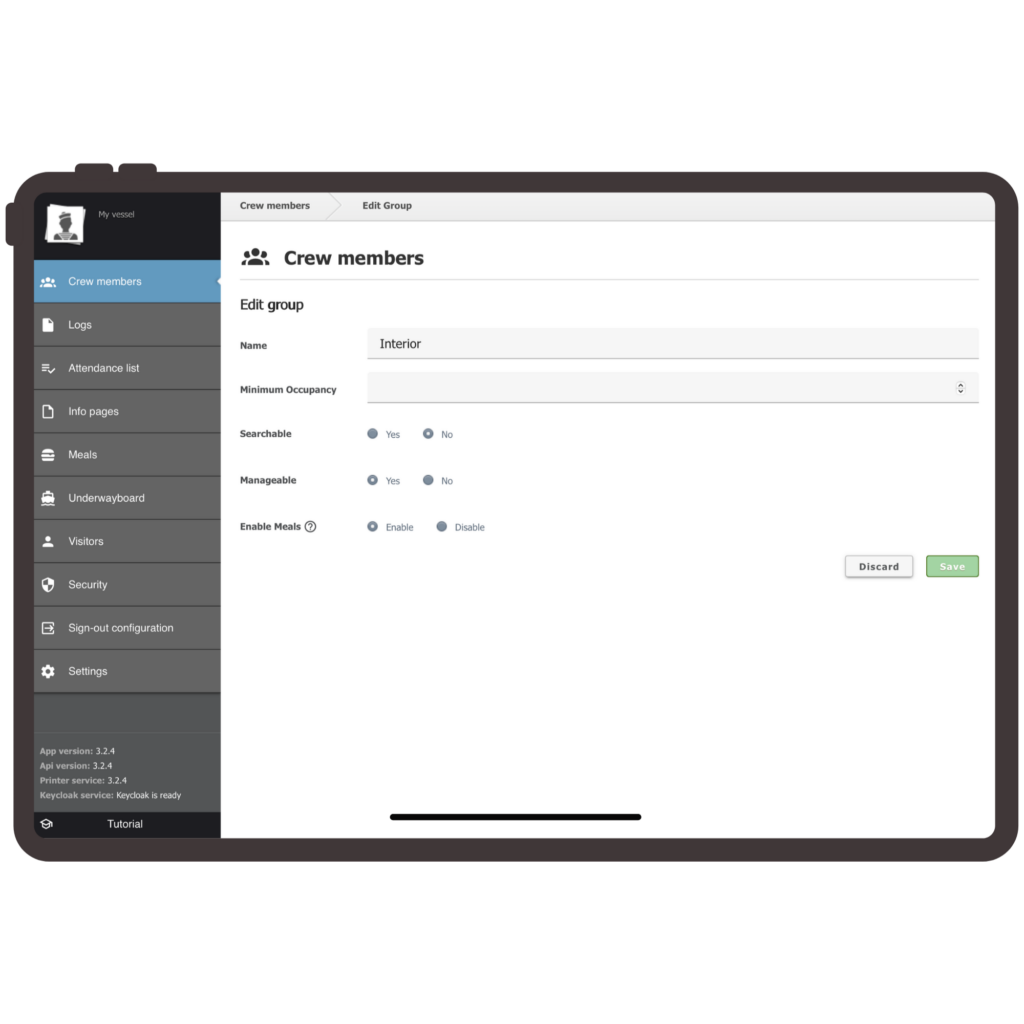
    As the admin, the captain or senior crew can now decide exactly what each crew member sees in CrewBoard, right down to the individual.

    Per crew visibility Visibility can now be set for each crew member individually, rather than by role alone. This gives the bridge far more precision over who sees what.

    Tab level control Specific tabs such as galley, deck or dive can be enabled or disabled per crew member, so each person only sees what is relevant to their job onboard.

    Toggle for expected return date and activity The bridge can choose whether this information is shown or hidden, depending on what suits the crew and the yacht.

    Together, these settings mean less noise for crew and tighter information control for the bridge.

    Meal Board scheduling, now complete

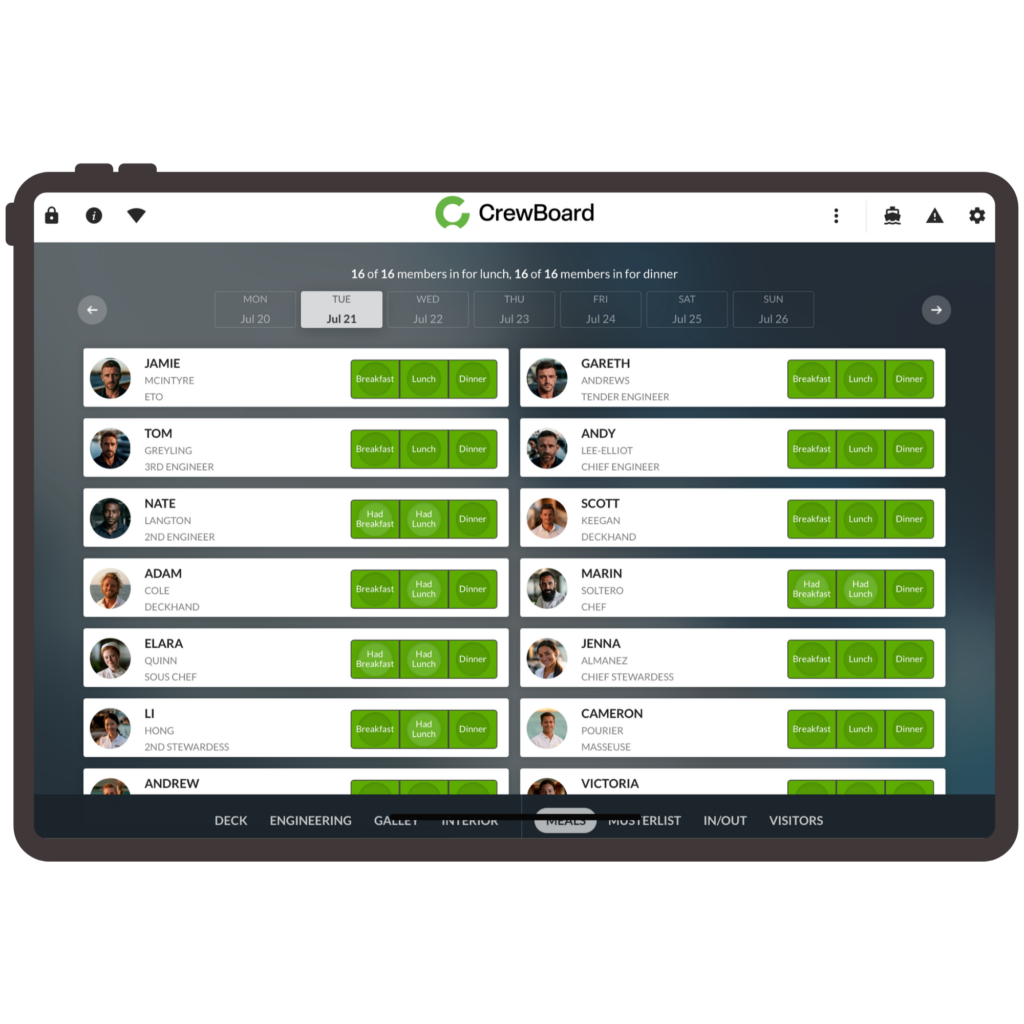
    Crew could already flag whether they would be onboard for lunch and dinner. Breakfast is now included too, so the full day of meals is covered in one place rather than two out of three.

    A simple check once a meal has been taken gives a clear record of who has and has not eaten. This is useful for team leads keeping track through a busy day, and for the galley when working out how much to prepare for the next sitting.

    mock up gui crewboard meal board
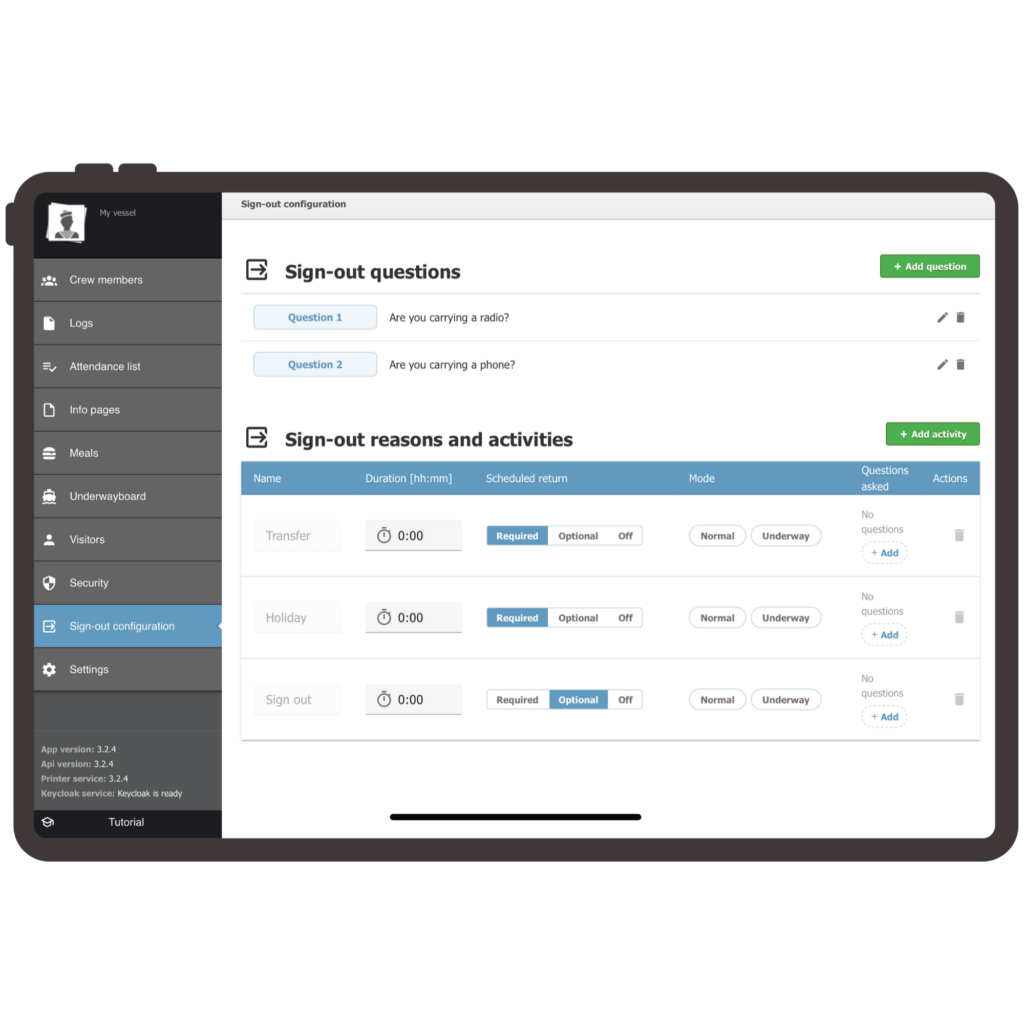
    mock up gui crewboard sign in sign out feature

    Toggle for expected return date and activity

    Crew can now log their whereabouts in two quick steps: how long they will be away, and what they will be doing, whether that is dinner ashore, a day off or holiday.

    The new sign in and sign out feature captures this cleanly, whether crew are signing out at the dock or underway. Underway mode asks its own tailored set of questions, reflecting the different context of being at sea rather than alongside.

    The result is that the bridge always knows what is happening onboard, without anyone needing to fill in a form

    .

    FAQs

    Can visibility settings be changed after they are first set up?

    Yes. Admins can adjust per crew and tab level visibility at any time as roles or crew members change.

    Does Meal Board scheduling replace the galley’s own planning process?

    No. It gives the galley a clearer, real picture of who has eaten and who is expected, to support planning rather than replace it.

    Does whereabouts logging work the same way at the dock and underway?

    Not quite. The two step process is shared, but underway mode presents its own set of tailored questions to reflect that different context.

    Do these updates require any additional installation or setup from an integrator?

    No. CrewBoard remains a product crew and captains can set up and manage themselves, without needing external installation support.

  • Interior Crew Efficiency: How LaundryBoard Brings Real Accountability to Onboard Laundry Management

    Interior Crew Efficiency: How LaundryBoard Brings Real Accountability to Onboard Laundry Management

    A missing cufflink. A cocktail dress sent back with the wrong care instructions. A guest robe that never made it back from the laundry room before the next port stop. On a superyacht, these aren’t small mistakes, they’re the moments that define whether the interior department looks flawless or falls short. For chief stewardesses and interior teams, laundry management isn’t a back-office task. It’s front-line accountability, and it runs on trust between shifts, departments, and ultimately, the owner.

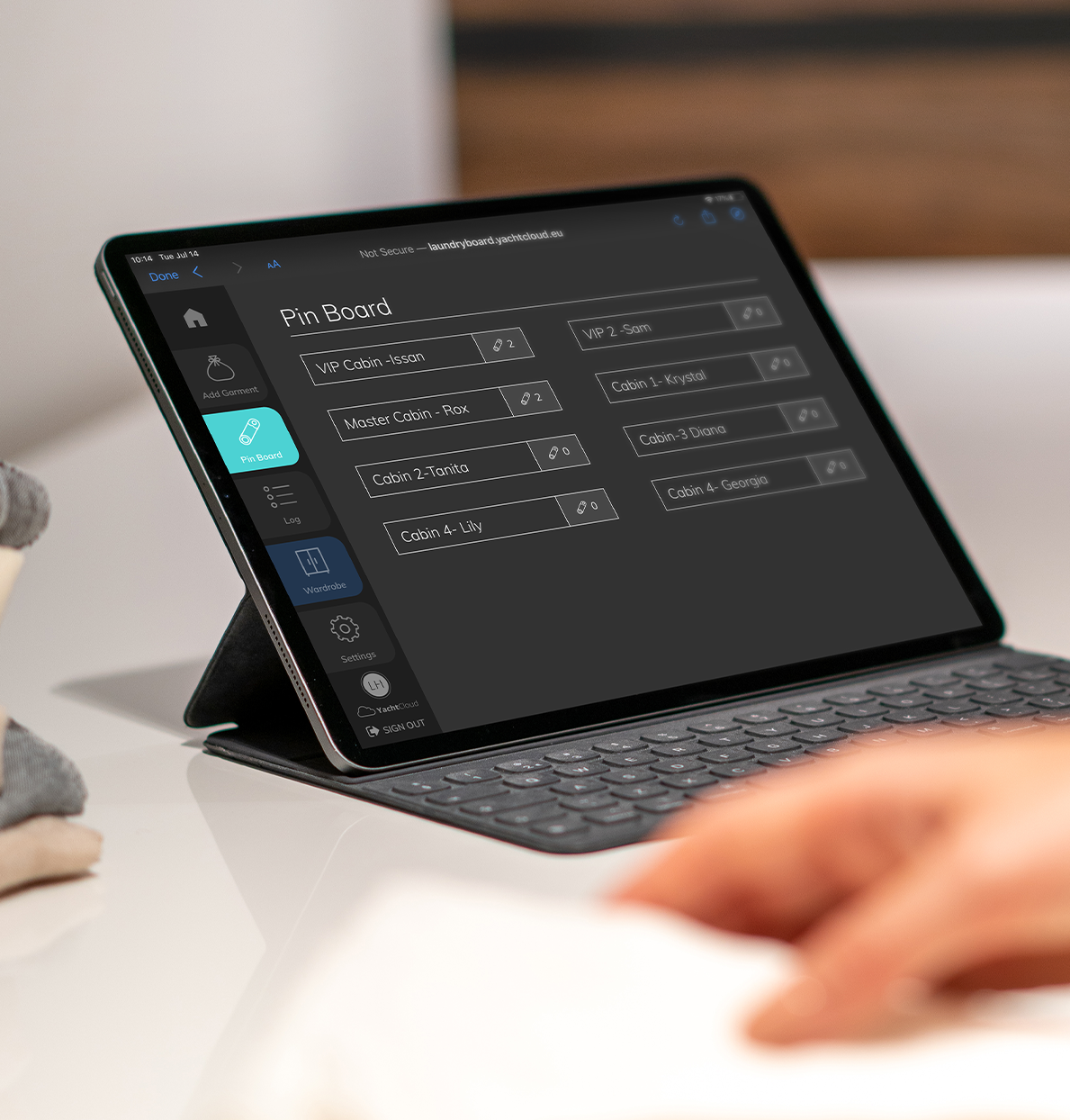
    Yet most interior teams are still managing this with paper logs, WhatsApp messages, or memory. LaundryBoard was built specifically to close that gap, giving interior crew a purpose-built system to track every single item of laundry, from pickup to return, with full accountability at every handover.

    Why Laundry Management is an Accountability Problem, Not just a Logistics One?

    Ask any chief stew what keeps them up during a busy charter, and laundry will come up fast. It’s not the washing itself, it’s knowing where every item is, who handled it, and whether it’s on schedule. During shift changes, that knowledge often walks out the door with the crew member going off duty.

    The typical failure points interior teams describe are familiar:

    • Items handed off between stewardesses with no record of condition or location
    • Garment care instructions relayed verbally and forgotten under pressure
    • No visibility into what’s overdue until a guest or owner asks for it
    • Dry cleaning sent ashore with no tracking once it leaves the yacht

    Each of these is a small gap. Together, over a busy charter season, they add up to lost items, damaged garments, and moments where the interior team looks reactive instead of in control.

    What Real Accountability Looks Like Onboard

    LaundryBoard was developed together with yacht interior crew, not adapted from a generic hospitality tool. It gives every team member a shared, precise record of every item of laundry moving through the yacht, logged, tracked, and time-stamped from the moment it enters the system.

    • Extensive record-keeping for every garment, guest item, and load
    • Specific garment care alerts, so instructions travel with the item, not with memory
    • Status tracking through every stage, including items sent ashore for dry cleaning
    • Automated notifications for overdue items, before a guest or owner has to ask

    The result is a system where accountability doesn’t depend on who’s on shift. Handovers become a clean transfer of information, not a verbal briefing under time pressure.

    Built for how Interior Teams Actually Work

    LaundryBoard runs as a web-based application on tablet or desktop, designed to be picked up and used without training days or IT support. That matters on a yacht, where crew turnover happens mid-season and every new stewardess needs to be productive from day one.

    It’s also built for the realities of being at sea. LaundryBoard is offered as a cloud solution or as a secure onboard server with a local network and unlike app-based alternatives, it does not require an internet connection or data usage to function. Every entry stays accurate and secure, with instant updates as items move through the system, whether the yacht is docked in Monaco or two days from the nearest signal.

    Time Back for the Interior Department

    Interior teams already using LaundryBoard report saving around one hour per day on average during charter, time that goes straight back into guest service instead of chasing down garments or reconciling handovers between shifts. One captain described it simply: an essential onboard tool for an accountable yacht interior.

    That’s the real value for chief stews managing a full interior programme: LaundryBoard doesn’t add another system to manage. It removes the informal tracking that was already eating into the team’s time, and replaces it with something reliable enough that nobody has to double-check it.

    Extending Accountability to the Owner’s Wardrobe

    For yachts managing an owner’s full wardrobe onboard, LaundryBoard’s Wardrobe Management add-on extends the same level of tracking to every wardrobe item, giving interior crew an instant, precise overview of location and status. It was built in direct response to requests from interior crew who wanted the same accountability they had for guest laundry applied to the owner’s personal items.

    Software that Supports the Team, Not Replaces It

    LaundryBoard doesn’t automate the interior department out of a job, it gives skilled crew the tool they should have had all along. The judgement, care, and service that define a seven-star interior experience still come from the team. LaundryBoard just makes sure nothing falls through the cracks in between.

    For chief stews building out their interior processes or yacht management companies standardising across a fleet, LaundryBoard is a straightforward way to bring real accountability to a part of the operation that’s too often left to memory.

    Ready to see it onboard? Request a LaundryBoard demo and see how accountability changes when the whole interior team is working from the same system.

  • Press Release: How YachtCloud’s GEST is redefining service onboard.

    Press Release: How YachtCloud’s GEST is redefining service onboard.

    Written by Leona Caanen | Superyacht Times

    In a time where privacy is one of the highest forms of luxury, YachtCloud has refined and luxurised service onboard superyachts. The most popular of their technological products making yacht life easier, is the GEST Service Call System. The call button is the most popular element of the YachtCloud portfolio, which is made up of six products in total: OMNIYON, YIS, CrewBoard, LaundryBoard, ECHO and GEST.

    YachtCloud, based out of Rotterdam, The Netherlands, is a product developer that focuses on delivering premium technology for the world’s most discerning clients. Established in 2014, the company has over a decade of experience in the delivery of their premium tech, and is dedicated to crafting yacht experiences where technology and craftsmanship work together in harmony to enhance comfort, safety and enjoyment at sea.

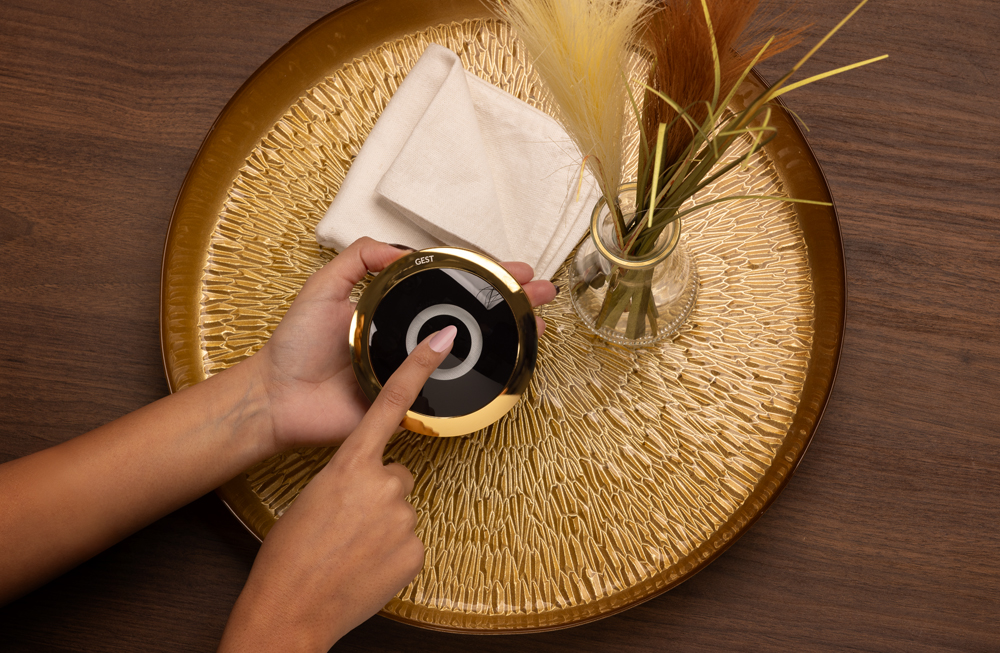
    gest button with finger to call for service on a wooden tray with on a marble table with a vase

    Call system

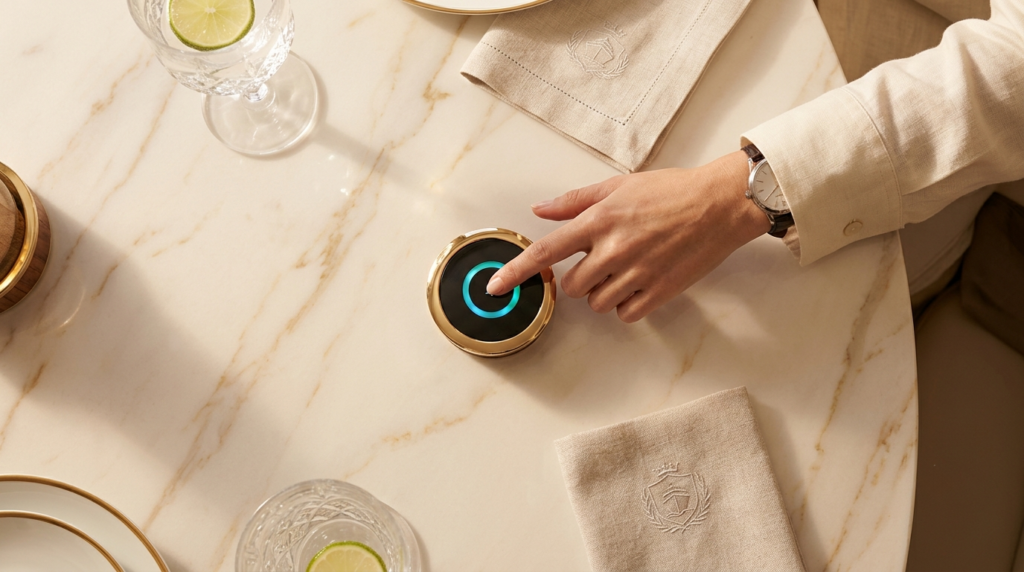
    The GEST is a service call system: “When owners or guests onboard want service, they can press the button, which sends a notification to the crew,” shares Lucie Hubert, Strategic Marketing Manager at YachtCloud. “Crew members accept the request, which turns the button green, so the guests know someone is handling it.” From there, a crew member will come to inquire about the request. Once completed, the crew marks the open request as completed and the button is once again ready to go.

    The purpose of the GEST button is to ensure privacy, “there is no microphone on the physical button, it’s something we don’t want to include precisely because of privacy. If you press it, someone will actually have to come to you”, Lucie adds. 

    There is also a digital version of the GEST Service System, which works just like the physical button, but here there is a chat function. “You can send the notification, but also chat directly with the crew members and share your request right away.”

    The goal of the button, besides ensuring smooth seven-star service, is precisely that privacy. Instead of standard WhatsApp groups on yachts, the button ensures no personal information other than necessary needs to be shared. “It reduces those big group chats that we often see onboard yachts. With the button you can directly notify the chef or the chief stew or a deckhand – everything can be separated to specific crew”, Lucie points out.  

    assemble of gest buttons transparent background

    Onboard superyachts

    The very first prototype of the GEST Service System was built in 2018. Two years later, YachtCloud had sold their 100th button. “Three years ago, we sold 100 buttons to a single project,” Lucie recalls. From there everything has just grown really fast. 

    How many call buttons each yacht orders, depends mostly on size. “We see two options,” notes Lucie. “The first one is that the yacht just wants it in common areas, such as the lounge or the aft deck. The second is that we see yachts who want a call button in every single room, including all the staterooms.” The type of buttons tends to be a mix between physical and digital “often we see the digital buttons for the staterooms and the physical ones for the common spaces.”

    three gest buttons on marble table on wooden tray

    Design & craftmanship

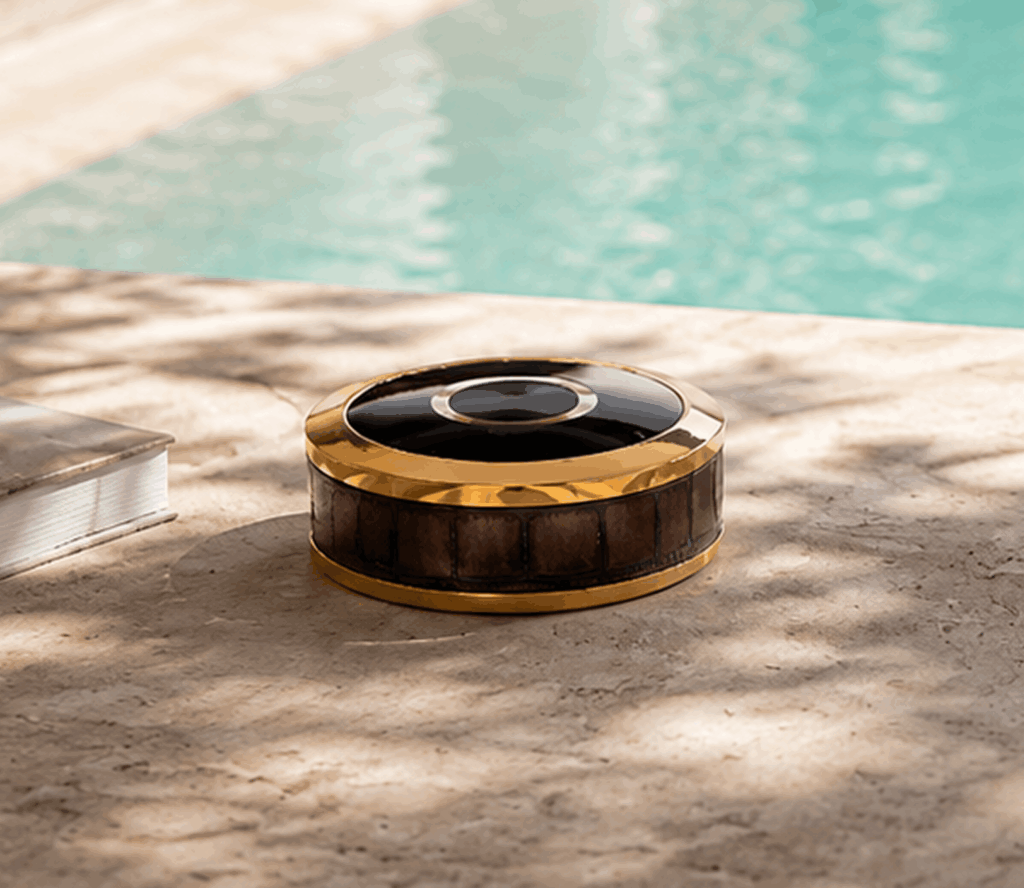
    The button’s physical design is well in line with the luxury service it is designed for. Each button is completely customisable, “you can have a ring engraved, or the yacht’s logo or name, even the material is fully customisable,” Lucie notes. “You can have the ring on the button in 24K gold, stainless steel, dark or light bronze.” Even the leather of the button is customisable: “we had a client who wanted a specific leather. We said, ‘just send it to us and we’ll make it happen’, and we did.”

    YachtCloud prides itself in their flexibility and ability to craft their product to their client’s ideal design. Their service meets the luxury standard as well, “we have a great support team and we keep track of when there are button breakdowns and they need replacing.” The backend of the system is entirely remote, “we can access the system of all of our clients and jump in to fix it when needed, without needing to be physically present.” 

    When the issue cannot be fixed remotely, the button is sent to the warehouse, which sits next to the YachtCloud headquarters in Rotterdam. It is also where the company does their refurbishing “we are working to be more sustainable, and as these buttons are used daily, they can of course obtain damage overtime. We’ve introduced a system where buttons can be sent to the warehouse and the ring, leather, or any other element is fixed, checked, and sent back to the client.”

    Challenges along the way

    No successful product comes without its challenges along the way. “When we started, the battery life was a big challenge” shares Lucie. The button’s battery would last about a day, and would take numerous hours to charge. “Now, a button lasts up to three to five days, depending on usage, and can be fully charged in four hours.” 

    YachtCloud is continuously working to improve the button. “We’ve gone from a battery life of two days to a battery life of five days”; a huge jump in the battery’s longevity. “If the battery life goes under 20 percent, the chief stew will get a notification that it needs charging, so everyone is always in the loop.”

    gest button on teak floor of a yacht with sunglasses and towel
    gest button in yacht cabin

    A happy crew is a happy yacht

    No challenge has been too big for YachtCloud, and they’re continuously working hard to incorporate any and all feedback they get from clients. “We pushed a new colour, white, because one client specifically wanted it,” shares Lucie, “any idea the client has, we’re always open to hear it because we want our product to cater the client to the best of its ability – it’s how we develop our products and our company.”

    The feedback from clients, captains and crew has been invaluable. One captain of a 42-metre motor yacht emphasised how the “GEST system was set up in minutes, is loved by our owners, guests and crew.” The electro-technical officer of another 40-metre motor yacht noted how the GEST system has “been a great addition to our operation. It allows guests to request service, drinks or whatever they need while giving them complete privacy when they don’t want to be disturbed. It creates a smooth, intuitive and professional experience onboard.”

    The goal of products like GEST, and of YachtCloud as a whole, is to create a connected yacht experience – one where technology and craftsmanship work in harmony to enhance comfort, safety and enjoyment at sea.

  • How to deliver 6 star service without increasing crew workload

    How to deliver 6 star service without increasing crew workload

    In luxury environments, service expectations keep rising. Guests want instant response, total discretion, and no visible “effort”. But crews and house teams are already stretched.

    So how do you elevate service without adding more people, more radios, or more stress?

    1. Remove friction from guest requests

    The biggest hidden problem isn’t staffing, it’s how guests ask for service. In reality, guests hesitate to call, they don’t want to interrupt or feel demanding. Apps feel impersonal or complicated. For a crew perspective, radios are intrusive and visible.

    The result: delayed service, missed opportunities, and reduced experience.

    6⭐ service starts when asking for service becomes effortless.

    2. Shift from reactive to invisible service

    Traditional service is reactive:

    • Guest calls
    • Crew receives
    • Crew responds

    But high-end service should feel anticipatory, seamless, and almost invisible. The goal is not faster service but a frictionless service flow.

    3. Give crew clarity, not more work

    Adding tools often makes things worse, meaning more notifications, more devices to use, thus more complexity. Crew need clear, prioritised requests, delivered through silent, discreet alerts, with no ambiguity about what is required. At the end, efficiency is not about doing more, it’s about removing confusion.

    4. Design service into the environment

    In true luxury, service is embedded into the space, not added on top. Think of no visible tech clutter, no disruptive sounds, or no learning curve for guests. When done correctly, guests instinctively know how to request service. With GEST, service call button, requesting service is as easy as pressing a button. 

    5. Reduce micro-interruptions

    One of the biggest drains on crew productivity is the accumulation of small interruptions, repeated clarifications, and inefficient communication loops, where tasks bounce back and forth (for example, a guest request requiring follow-up questions), adding workload without adding value, so removing these micro‑frictions is where real efficiency gains are made.

    6. Standardise without losing personalisation

    Luxury service is not about rigid systems or overly structured routines, but consistency remains essential. Every request should be clear and easy to act on, every response predictable in its quality and timing, and the overall standard of service should never depend on who happens to be on shift. The strongest operations achieve this balance by standardising the underlying process, such as removing ambiguity, reducing variability, and guiding execution, while still giving crew the flexibility to personalise interactions and tailor the experience to each guest.

    7. The result: perceived effortlessness

    When this balance is achieved, the result is a powerful sense of perceived effortlessness. Guests feel seamlessly and “magically” taken care of, without seeing the coordination behind the scenes. Crew, in turn, feel more in control of their workload rather than overwhelmed by it, as clarity and structure reduce unnecessary stress. Service becomes not just functional, but distinctive, a signature experience that reflects both precision and care. Crucially, this improvement does not rely on increasing headcount or adding operational complexity; instead, it comes from removing friction, improving clarity, and enabling people to perform at their best.

    Where GEST fits in

    GEST is designed to fill this exact gap, providing a tactile and intuitive way for guests to request service, while enabling discreet, silent communication for crew. Seamlessly integrated into high-end materials and interiors, it feels like a natural part of the environment rather than an added layer of technology. There is no learning curve for guests, no visual disruption to carefully designed spaces, and no additional workload for crew. Instead, it simplifies interactions, removes friction, and elevates service, delivering a smoother, more effortless experience for everyone involved.