


Running a smooth day onboard often comes down to the details working quietly in the background: who can see what, who has eaten, and where everyone is at any given moment. Three updates are now live in CrewBoard to make each of these easier to manage, for the bridge and for crew.
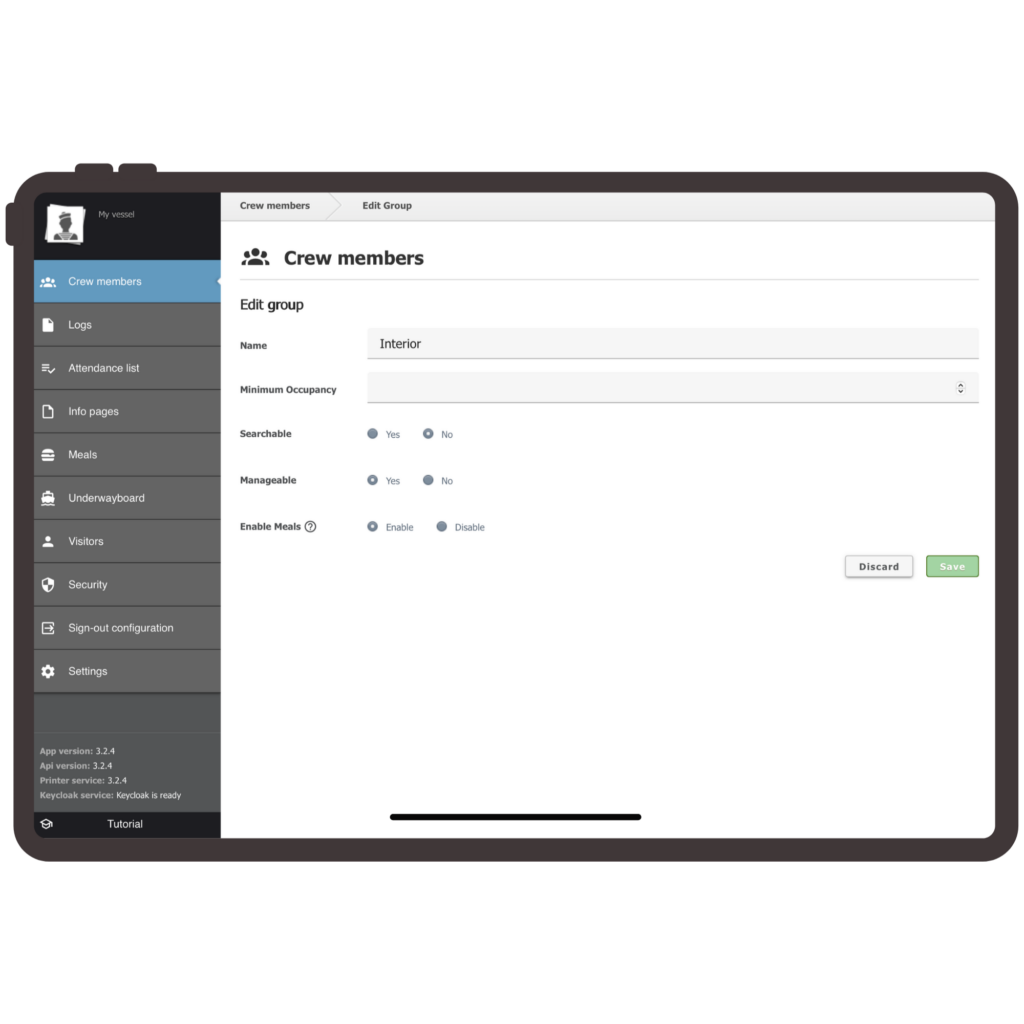
Fully configurable crew visibility
As the admin, the captain or senior crew can now decide exactly what each crew member sees in CrewBoard, right down to the individual.
Per crew visibility Visibility can now be set for each crew member individually, rather than by role alone. This gives the bridge far more precision over who sees what.
Tab level control Specific tabs such as galley, deck or dive can be enabled or disabled per crew member, so each person only sees what is relevant to their job onboard.
Toggle for expected return date and activity The bridge can choose whether this information is shown or hidden, depending on what suits the crew and the yacht.
Together, these settings mean less noise for crew and tighter information control for the bridge.
Meal Board scheduling, now complete
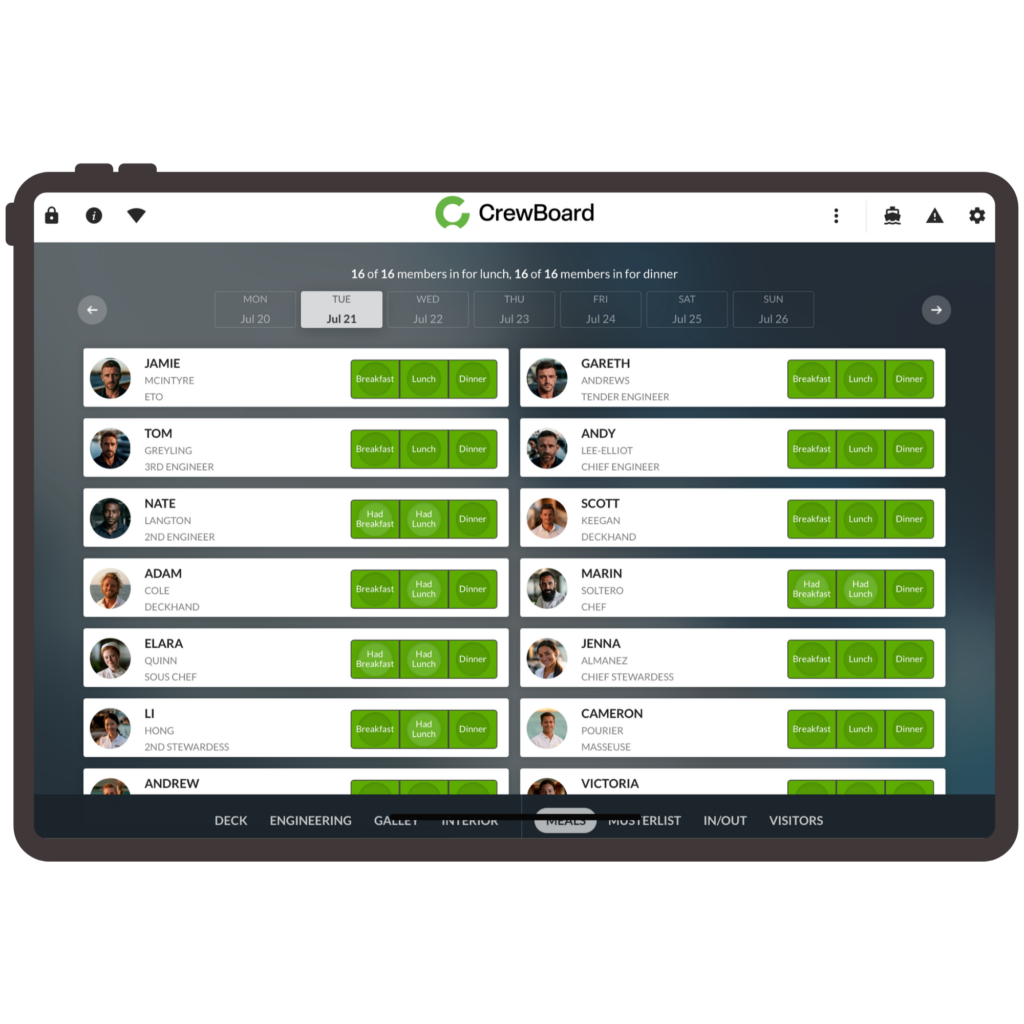
Crew could already flag whether they would be onboard for lunch and dinner. Breakfast is now included too, so the full day of meals is covered in one place rather than two out of three.
A simple check once a meal has been taken gives a clear record of who has and has not eaten. This is useful for team leads keeping track through a busy day, and for the galley when working out how much to prepare for the next sitting.
Toggle for expected return date and activity
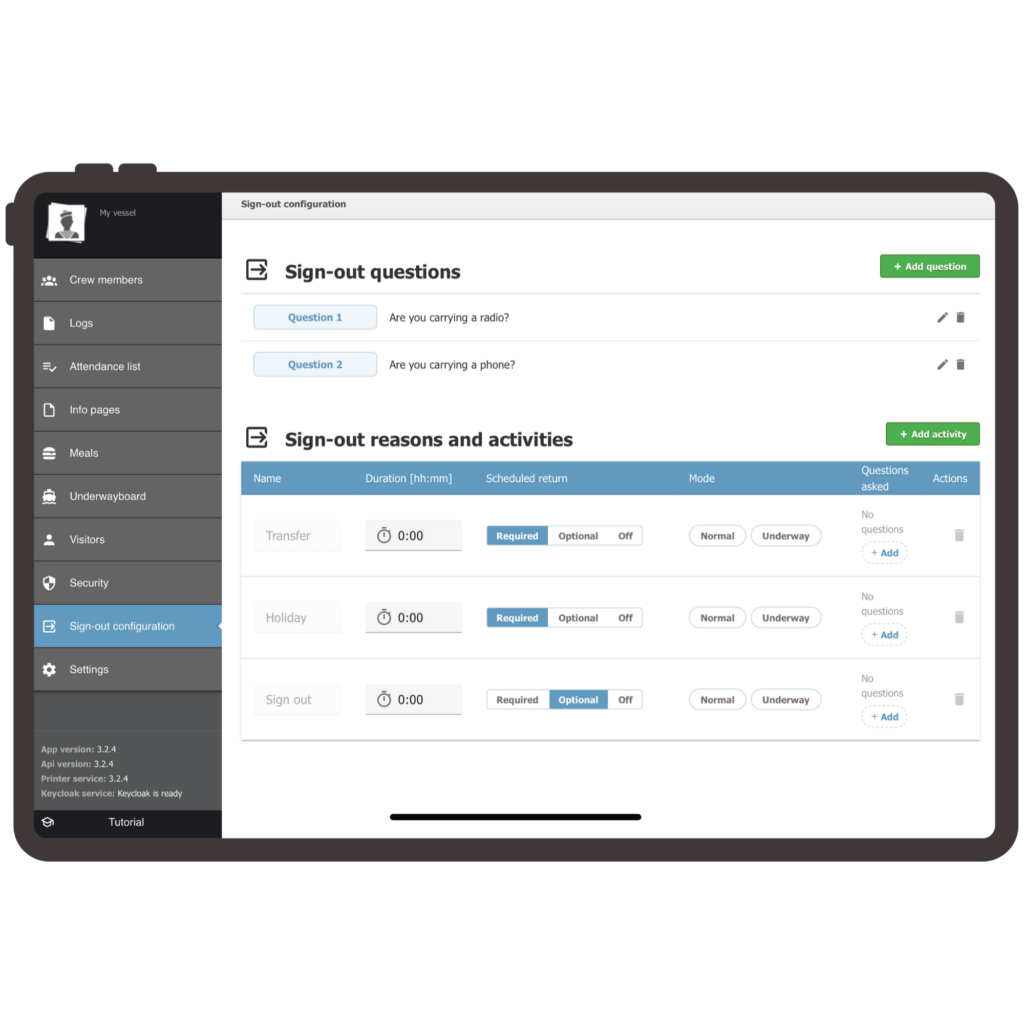
Crew can now log their whereabouts in two quick steps: how long they will be away, and what they will be doing, whether that is dinner ashore, a day off or holiday.
The new sign in and sign out feature captures this cleanly, whether crew are signing out at the dock or underway. Underway mode asks its own tailored set of questions, reflecting the different context of being at sea rather than alongside.
The result is that the bridge always knows what is happening onboard, without anyone needing to fill in a form
.
FAQs
Yes. Admins can adjust per crew and tab level visibility at any time as roles or crew members change.
No. It gives the galley a clearer, real picture of who has eaten and who is expected, to support planning rather than replace it.
Not quite. The two step process is shared, but underway mode presents its own set of tailored questions to reflect that different context.
No. CrewBoard remains a product crew and captains can set up and manage themselves, without needing external installation support.